Video chat, texting and instant messaging in one

Skype for Windows 8 brings Skype's excellent video chat software to Windows 8 with a slick, modern user interface. With Skype for Windows 8, you can video chat, text, and send instant messages to your friends directly from your Windows 8 desktop. You can connect for free to any device or PC with Skype installed, or you can call mobiles and landlines if you have Skype credit.

Video calling, instant messaging and more

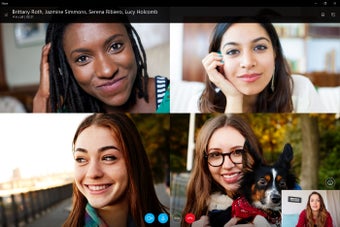
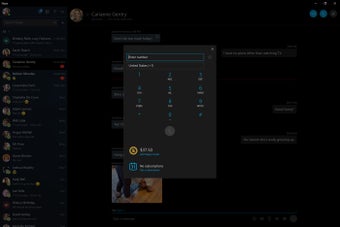
There are plenty of things to like about Skype for Windows 8, as it delivers the full Skype experience. The main features are obviously the ability to make audio and video calls, text, and instant message your friends. When you sign into Skype with your Microsoft account, it automatically imports your contacts list into your address book so you're ready to go. Connecting with someone is then as easy as clicking on a contact and selecting whether you want to video chat, audio call, or instant message them.

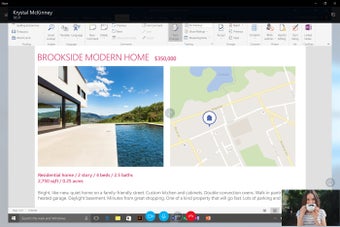
The call and video quality on Skype for Windows 8 is generally excellent, although much depends on your internet connection. With a good connection on both ends, calls should be loud and clear with video starting quickly - although you may experience some frozen frames and video buffering from time to time. Skype for Windows 8 also supports free group calls and screen sharing for up to 10 people - a feature previously only available to premium users.

Well organized, streamlined interface

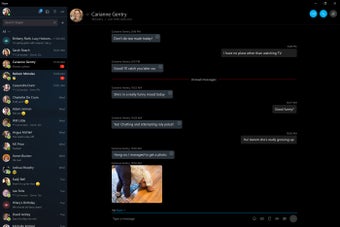
The interface may look a bit empty compared to older versions of Skype but Microsoft has streamlined it with a more organized interface, making all the features more easily accessible. Your recent calls, favorites, and contacts are all available from the home screen and you can change your Skype status on the top right. Skype for Windows 8 also includes a lots of fun, animated emoticons, which are sure to please emoji lovers.

Still a great app for keeping in touch

Skype has been through many changes but, overall, Skype for Windows 8 still provides a great video chat and messaging experience for Windows 8 users.


  • Pros

    • Supports video chats, texting and instant messaging
    • High quality video chats
    • Automatically imports contacts from Microsoft accounts
    • Lots of emoticons
    • Free group video calls and screen sharing
  • Cons

    • Interface looks a bit sparse
    • Contacts may need editing after importing
 0/5

App specs

Program available in other languages


Icon of program: Skype for Windows 10

Skype for Windows 10

  • Free
  • 3.7
    3311
  • 2.7M
  • V15.99.403.0

User reviews about Skype for Windows 10

3.7

11 reviews

Add review

Main reviews for you

  • Anonymous user

    Good,.i hope the benefit of the app will be great.The skype is good for interaction, discussion and also help to interact with large number of people at distance

  • Anonymous user

    It's a good way of communication. That is whyI woulf like to recommend it.

  • Anonymous user

    Seems to work alright.Never tried chatting before so this is an experiment

  • Anonymous user

    Easy accessible and friendly, makes communication easy and keep it up.

  • Anonymous user

    Because the skype messenger is very good for me /can i easy call and video call and send pictures and message for my friends .thanks

  • Anonymous user

    Skype works well for Windows 7 good in texting, voice is sharp & clear Video works well.

More

You may also like

Alternatives to Skype for Windows 10

Explore Apps

Latest articles

Laws concerning the use of this software vary from country to country. We do not encourage or condone the use of this program if it is in violation of these laws.
Softonic

Is Skype for Windows 10 safe?

100/100

Score result: Clean

This file passed a comprehensive security scan using VirusTotal technology. It is safe to download.

  • Virus free
  • Spyware free
  • Malware free
  • Verified by Security Partners

    VirusTotal logo

Scan Info

Last scan
Wednesday, February 9, 2022
Scan provider
VirusTotal

Softonic security commitment

Skype for Windows 10 has been thoroughly scanned by our advanced security systems and verified by industry-leading partners. This file comes from the official developer and has passed all our security checks, showing no signs of viruses, malware, or spyware. For more information, visit our Security and Trust Center